


*Though it only features screenshots from Dosage Calc 360, the information in this article applies to all Davis 360 platforms, including Dosage Calc 360, Med Term 360, and Test Success 360.
How to Enroll Students in your Integrated Davis 360 Class
Students will be automatically enrolled into your integrated Davis 360 class when they first launch one of the Davis 360 assignments inserted into your LMS course.
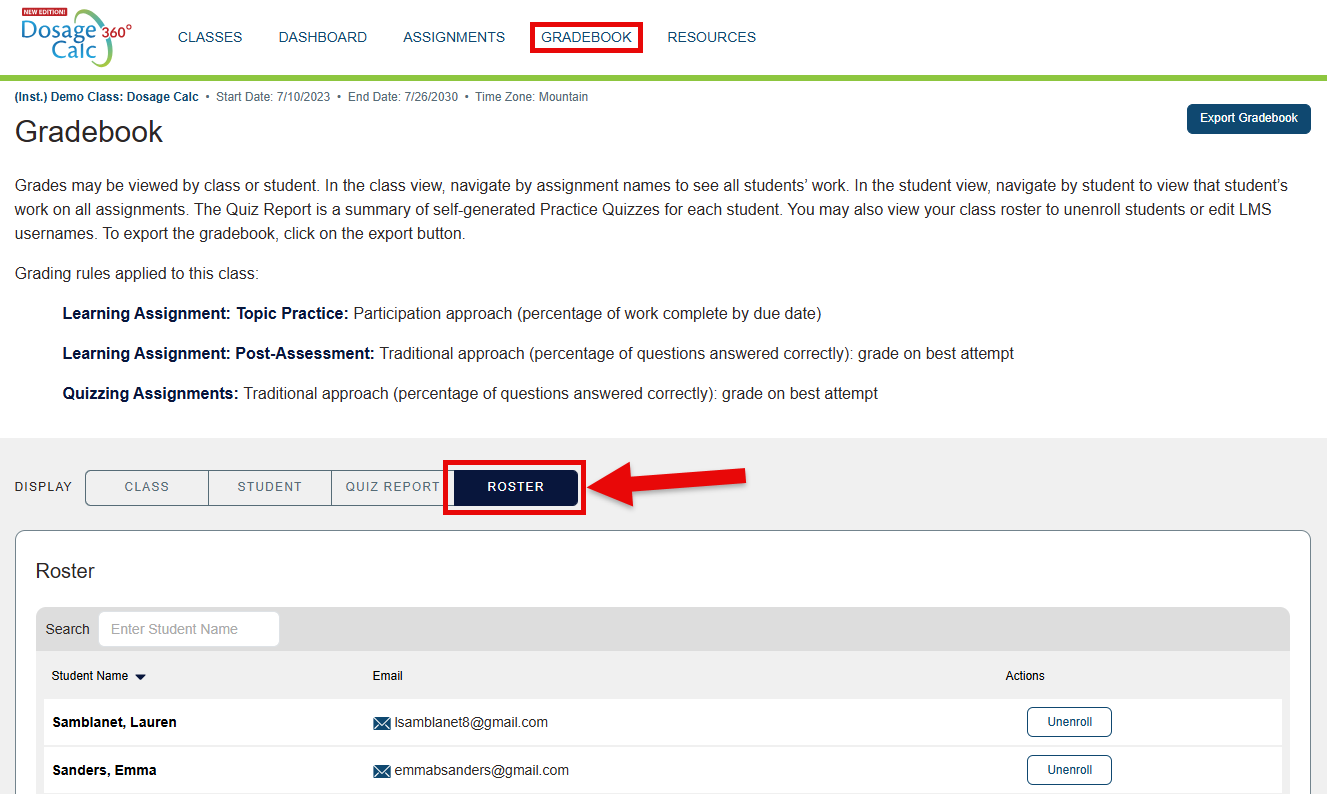
To confirm which students are within your integrated Davis 360 class, click the "Roster" display within your Davis 360 Gradebook. Please confirm your Davis 360 class roster a few days after your class start date, to ensure all your students have enrolled correctly.
For further information on your Davis 360 Gradebook, please consult our instructor "Grading and Metrics" article.
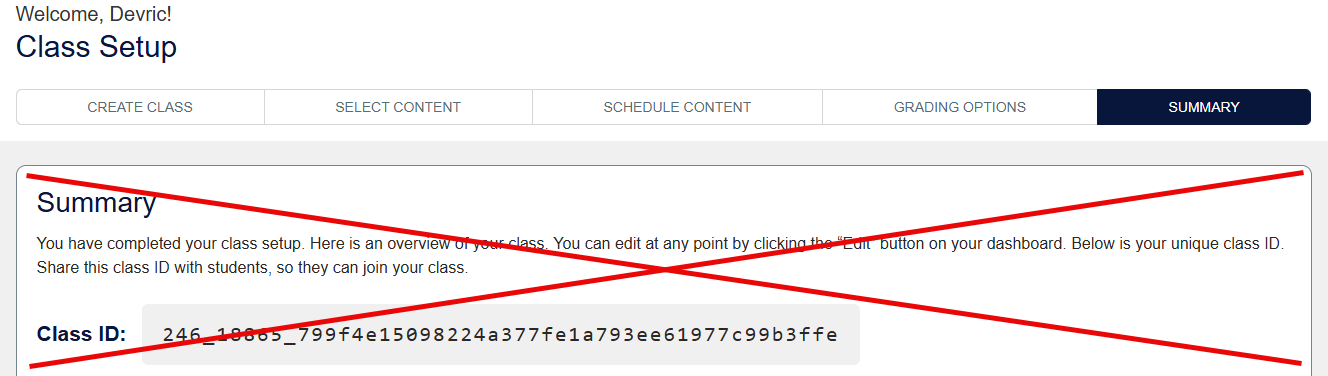
Though the Summary step of your Davis 360 Class Setup directs you to do so, you will not have to provide students with a Class ID to enroll them in your integrated Davis 360 class. Furthermore, if a student asks you for a Class ID, that's an indicator they are trying to access your Davis 360 class incorrectly.
Their first launch and beyond, students should always access your Davis 360 assignments by launching the Davis 360 assignments links inserted into your LMS course. To model correct access and usage of your Davis 360 assignments, please link our student "Quick-start Guide" article within your LMS course.
The student Quick-start Guide is designed to be an asynchronous orientation of all students need to know to launch and complete assignments within your integrated Davis 360 class, as well as how to utilize additional resources offered by your Davis 360 platform.
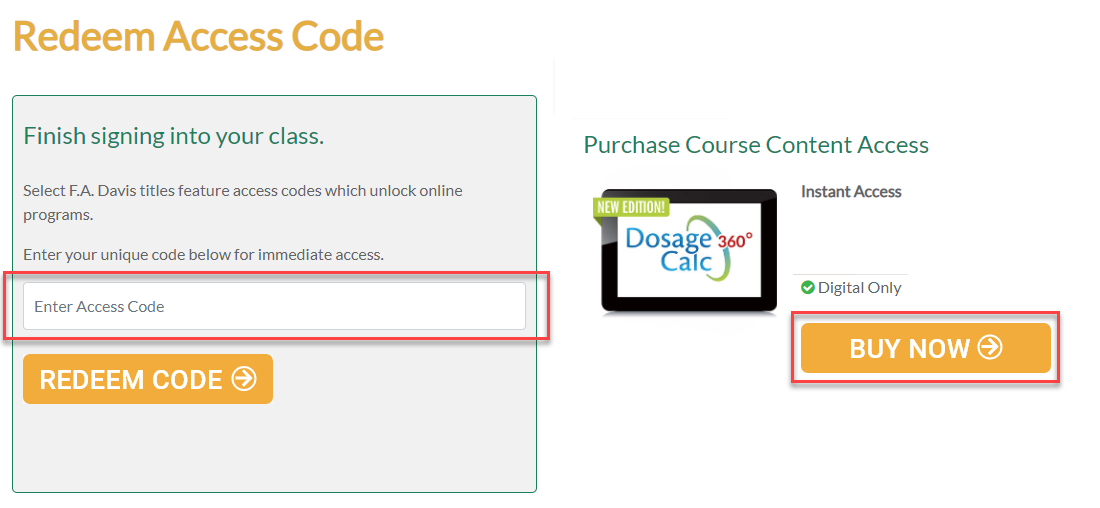
Student Access Error
If a student claims to have access to their required resources via FADavis.com, yet is asked to redeem access upon their initial launch of your inserted Davis 360 assignments, it's likely the student purchased their resources using a personal email address rather than their institutional email.
Students need to redeem access to their FAD resources with the same email address they use to log into your LMS course.
Using the correct institutional account, students should email [email protected] with a personalized fill-in of the template statement below.
My name is ___, I redeemed access for a Davis 360 platform under a personal email, and need that access merged with my school email.
Personal email: ___
School email: ___
After their account access has been merged, they'll need to launch one of your inserted Davis 360 assignments to enroll in your integrated Davis 360 class.
Independent Study Mode
If a student reports they've completed Davis 360 assignments, but the student in-question isn't listed on your Davis 360 class' roster, it's possible the student has completed Davis 360 assignments using "Independent Study mode."
Assignments completed within Independent Study mode will not report back to your LMS gradebook and/or any integrated Davis 360 class Gradebook.
Instead of launching your inserted Davis 360 assignment links, students completing work via Independent Study mode log into FADavis.com or the Davis 360 website directly. After doing so, they click to access the content of a Davis 360 platform for which they've never enrolled in a Davis 360 class.
Work completed via Independent Study mode cannot be transferred to your integrated Davis 360 class. Please direct the student in-question to take a screenshot of their Independent Study mode Davis 360 Gradebook, before they then click your inserted Davis 360 assignment links to enroll in your class.
Once the student has properly enrolled in your integrated Davis 360 class, you'll need to manually enter grades for the student in your LMS gradebook. The scores your student received when working in Independent Study Mode will no longer be accessible, so please keep a record of a student's Independent Study Mode performance via the screenshot you directed them to take.
Students who have completed work via Independent Study mode often purchased their resources using a personal email address, and will need to merge their account access (as directed in the "Student Access Error" section above) before enrolling in your integrated Davis 360 class.

